
Yiddi Type
by Yiddi AI · Windows
Transcribes Yiddish recordings into Word, and types what you say into any program. All on your own computer, without internet.
Download for WindowsVersion 2.6.2 · 175 MB- Windows 10 / 11
- Free
- In Yiddish, English and Hebrew
What it does
Made for shiurim, drashos, tishen and any Yiddish recording, and for writing with your voice.
Recording → Word
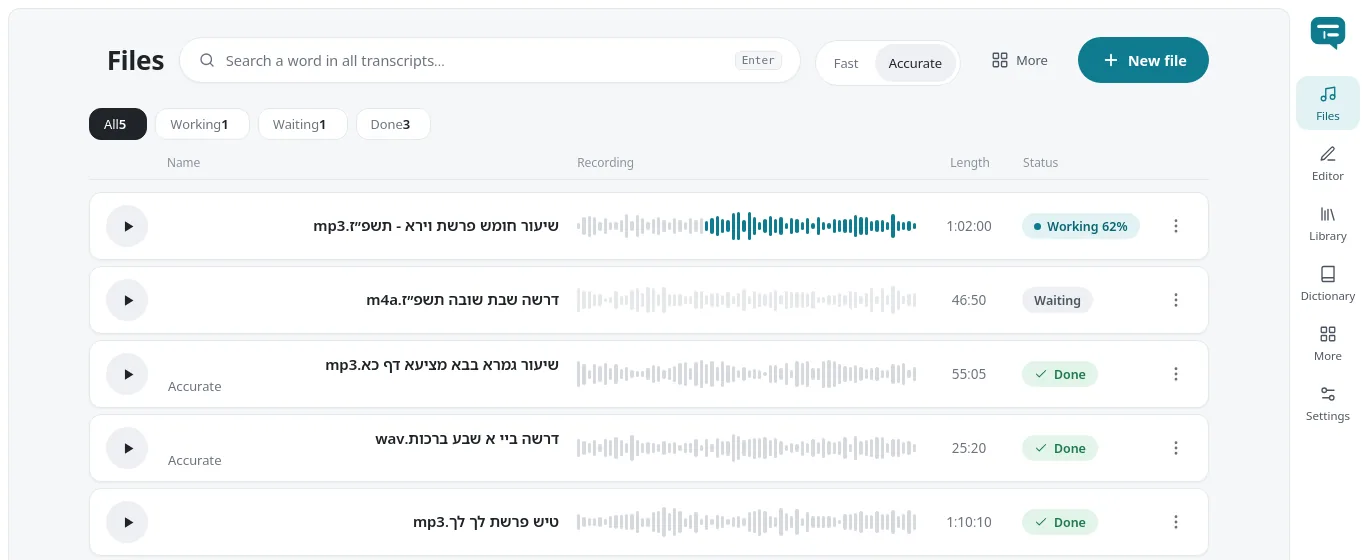
Open one recording or a whole folder and get a Word file with the full text, split into paragraphs.
Talk and type: Ctrl+Y
Press Ctrl+Y, speak, and the text is typed where your cursor is: in Word, in an email, in any program.
Live words
While you speak, you see the words as they come in.
Speakers
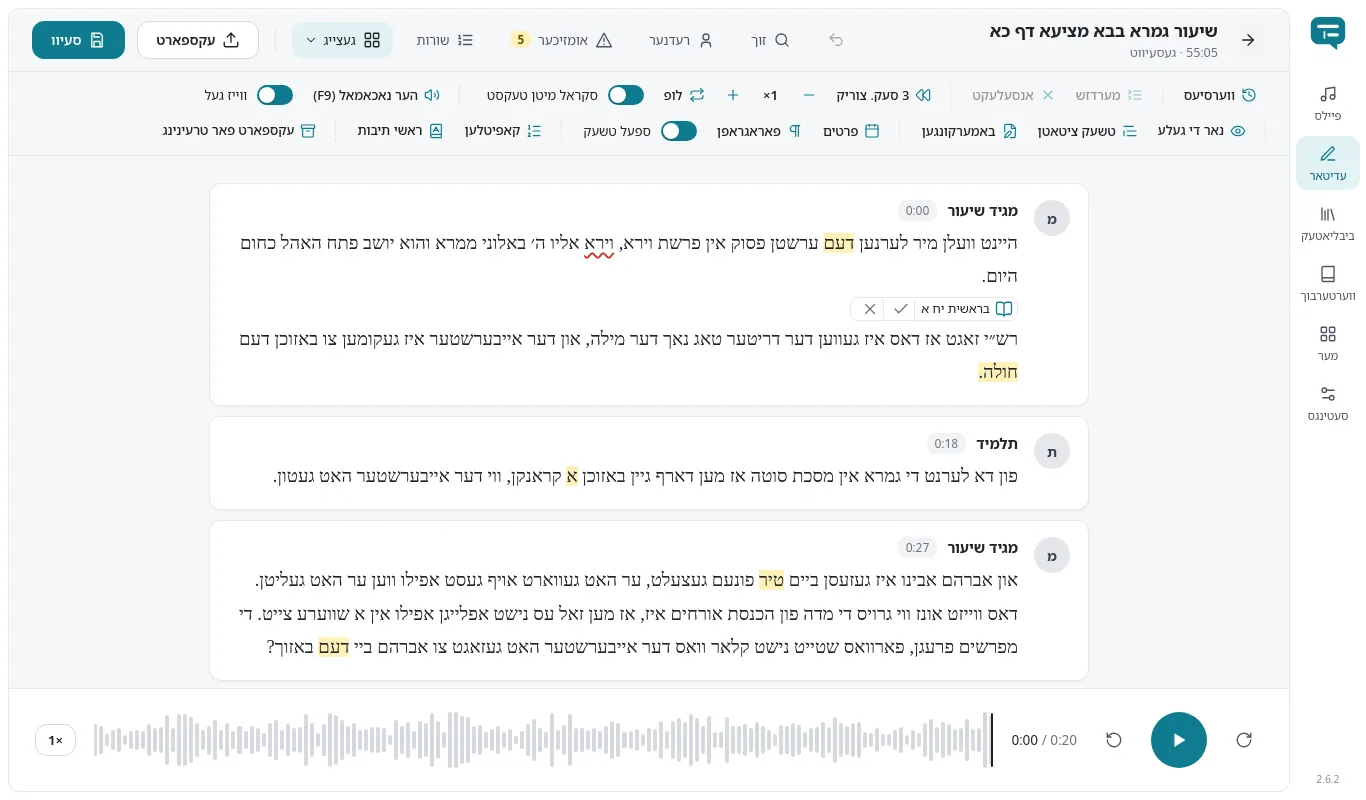
When several people talk, the text marks who is speaking.
Timestamps
Every line keeps its time in the recording. Click a word to listen from there.
Works without internet
The work happens on your own computer. No internet is needed to transcribe.
Your files stay with you
Recordings and texts stay on your computer. Nothing leaves it unless you say yes.
Updates itself
When a new version is out, the program shows it, and one click brings it up to date.
What it looks like
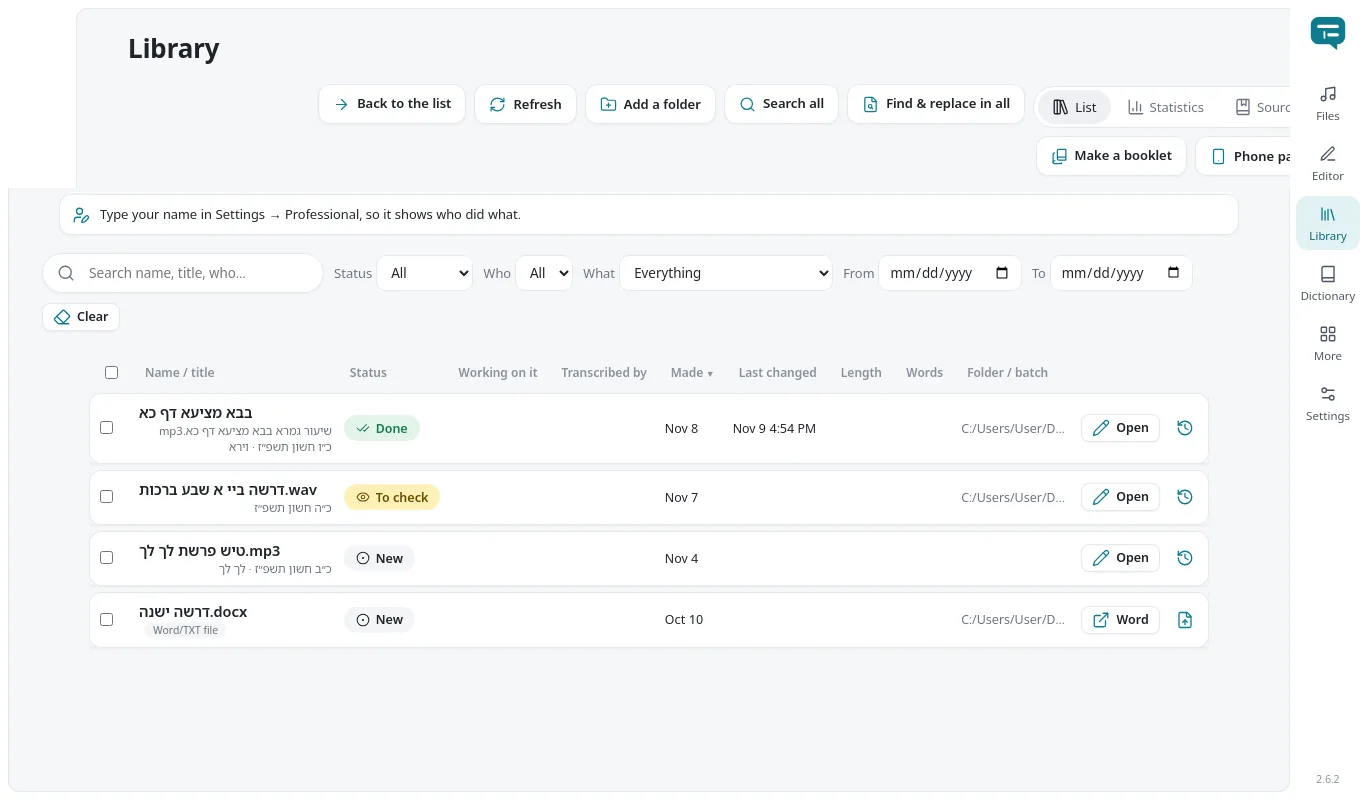
Screenshots of the program itself.
What you need
Any ordinary Windows computer from the last several years.
- Windows
- Windows 10 or Windows 11, 64-bit
- Memory (RAM)
- 4 GB with the fast model; 8 GB or more for the accurate model
- Disk space
- About 400 MB for the program; about 800 MB more for the accurate model
- Internet
- Only to download and for updates. Not needed to transcribe.
How to install
It takes a few minutes, and you don't need to be an administrator.
Download the installer
Click Download. A file named YiddiType-…-Setup.exe lands in your Downloads folder.
Open it
Double-click the file.
If Windows says "Windows protected your PC": click More info, then Run anyway. It appears because the program isn't signed by a large company, not because anything is wrong. It only asks the first time.
Install
Follow the installer. It adds an icon to the Start menu and the desktop.
Start
Open Yiddi Type, click New file, pick your recordings and wait until they're done. The Word files are saved in Documents\Yiddish Transcripts.
Questions
Does it cost anything?
No. Yiddi Type is free. The first time, you register a free license for that computer, and that's it.
Does anything leave my computer?
Your recordings and texts stay on your computer, and transcription works without internet. Only if you agree to help improve the program are texts with your corrections sent, and you can turn that off in Settings at any time.
How do I get new versions?
Automatically. When a new version is out, the program shows a card with what's new, and you click "Update now" or "Later". It only downloads what changed.
What's the difference between fast and accurate?
The fast model is built in and runs quickly on any computer. The accurate model is an extra download (about 800 MB) from inside the program; it takes longer and writes more precisely.
Why does Windows say the app is unrecognized?
Because it isn't code-signed by a large company. Click More info and Run anyway; it only asks once.